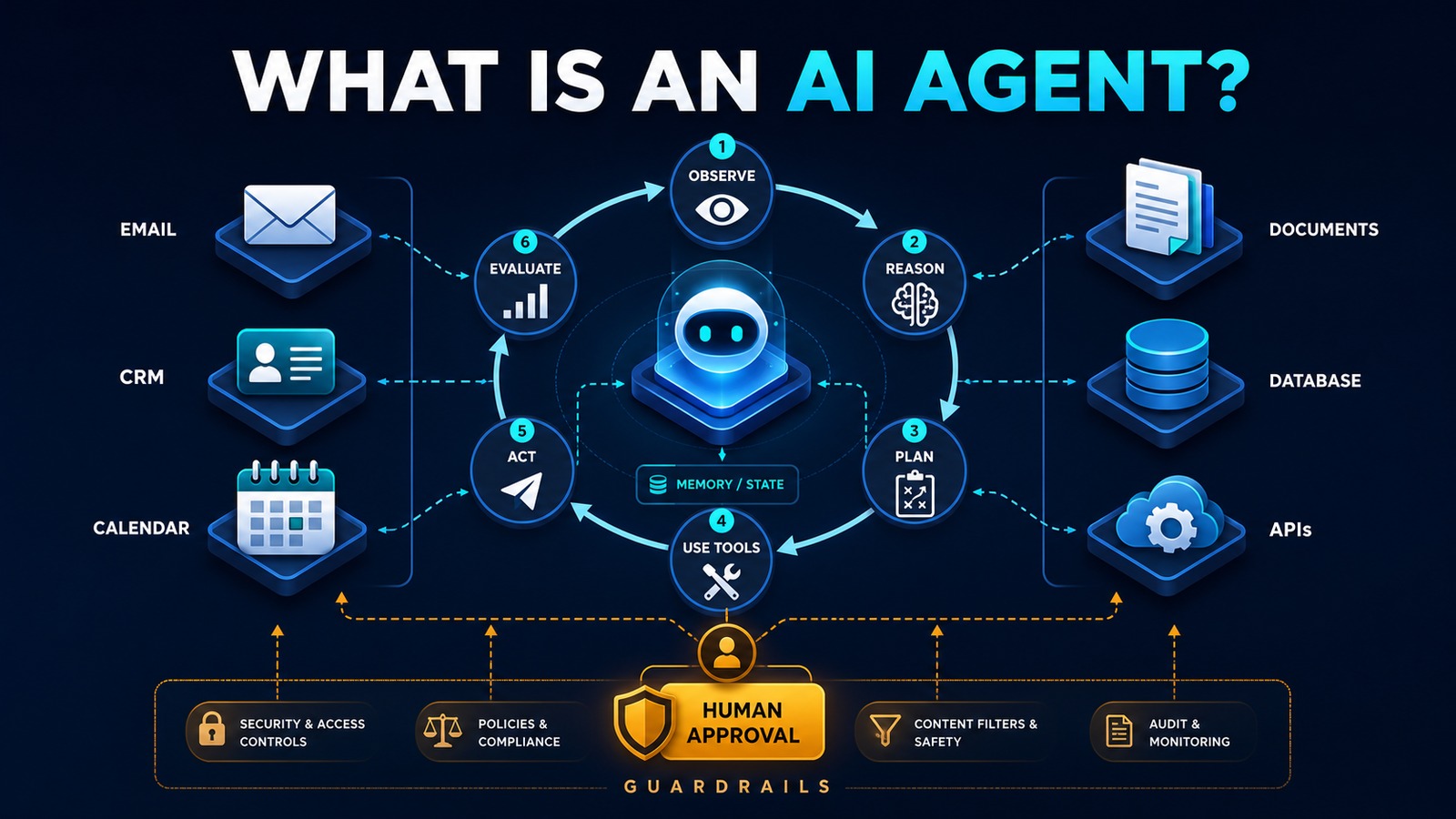
Document Approval with AI: A Human-in-the-Loop Workflow
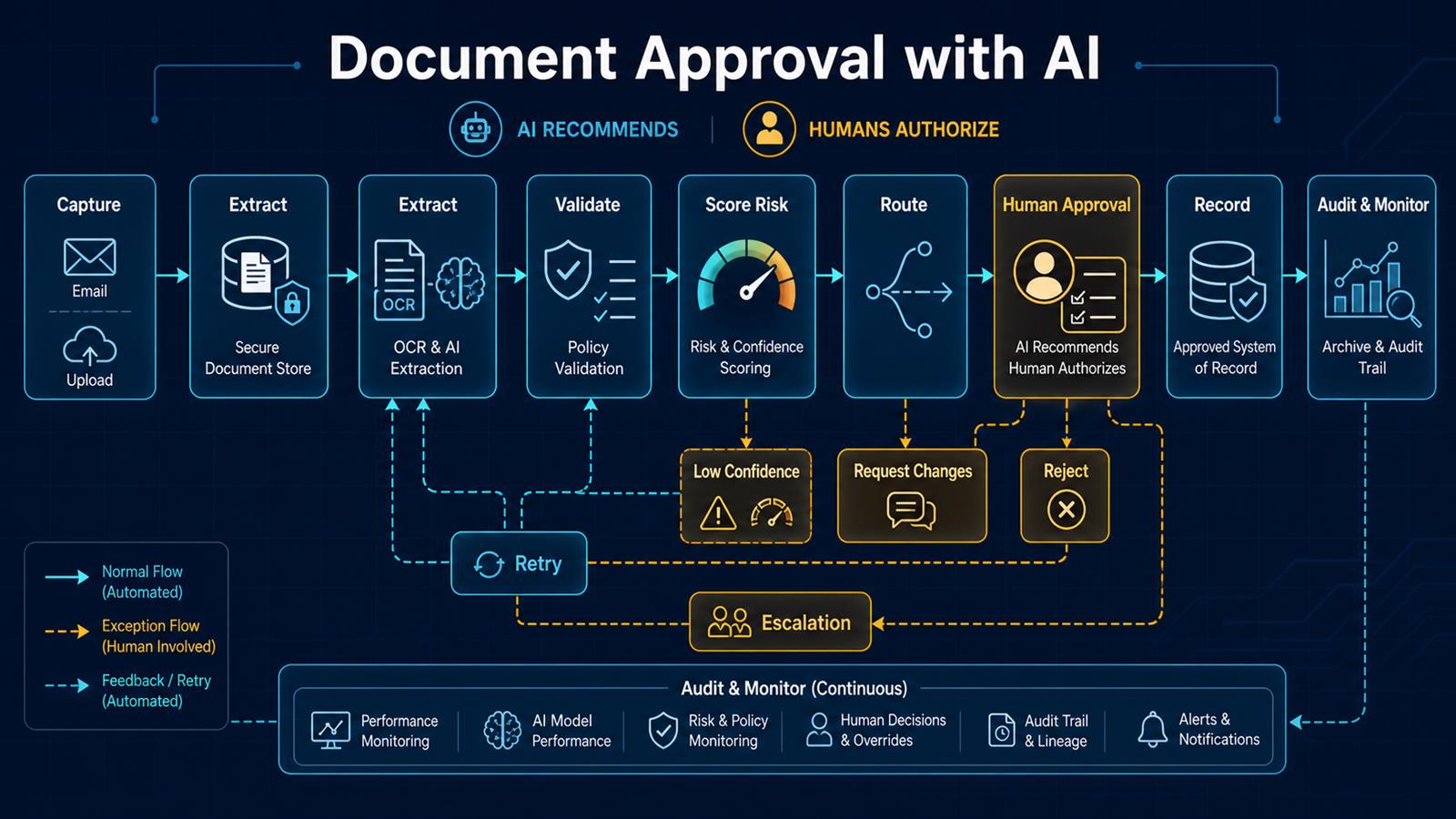
Document approval is a strong use case for practical AI because much of the delay happens before the decision. Someone must open a file, identify its type, extract key terms, compare them with policy, find the right approver, and summarize what matters. AI can accelerate that preparation while a controlled workflow keeps authority, evidence, and accountability with the organization.
Problem
Contracts, purchase requests, policies, permits, change orders, and other documents often move through email and shared folders. Reviewers receive incomplete context, approvals are difficult to trace, versions become confused, and urgent requests bypass normal controls. Manual review also spends expert time on routine extraction instead of judgment.
A fully autonomous AI approval is not the answer. Models can misread a clause, overlook an exception, or express confidence in an incorrect interpretation. High-impact decisions need explicit policy checks, access controls, human authorization, and a preserved audit trail.
Why it matters
Approval delays slow purchasing, projects, customer commitments, and internal operations. Weak controls create financial, legal, privacy, and compliance exposure. A dependable process must improve speed without losing separation of duties or making decisions impossible to explain later.
The business value comes from shortening preparation and routing time, making exceptions visible, and giving reviewers a consistent decision package: original document, extracted facts, policy results, risks, supporting records, and a recommended action.
Solution
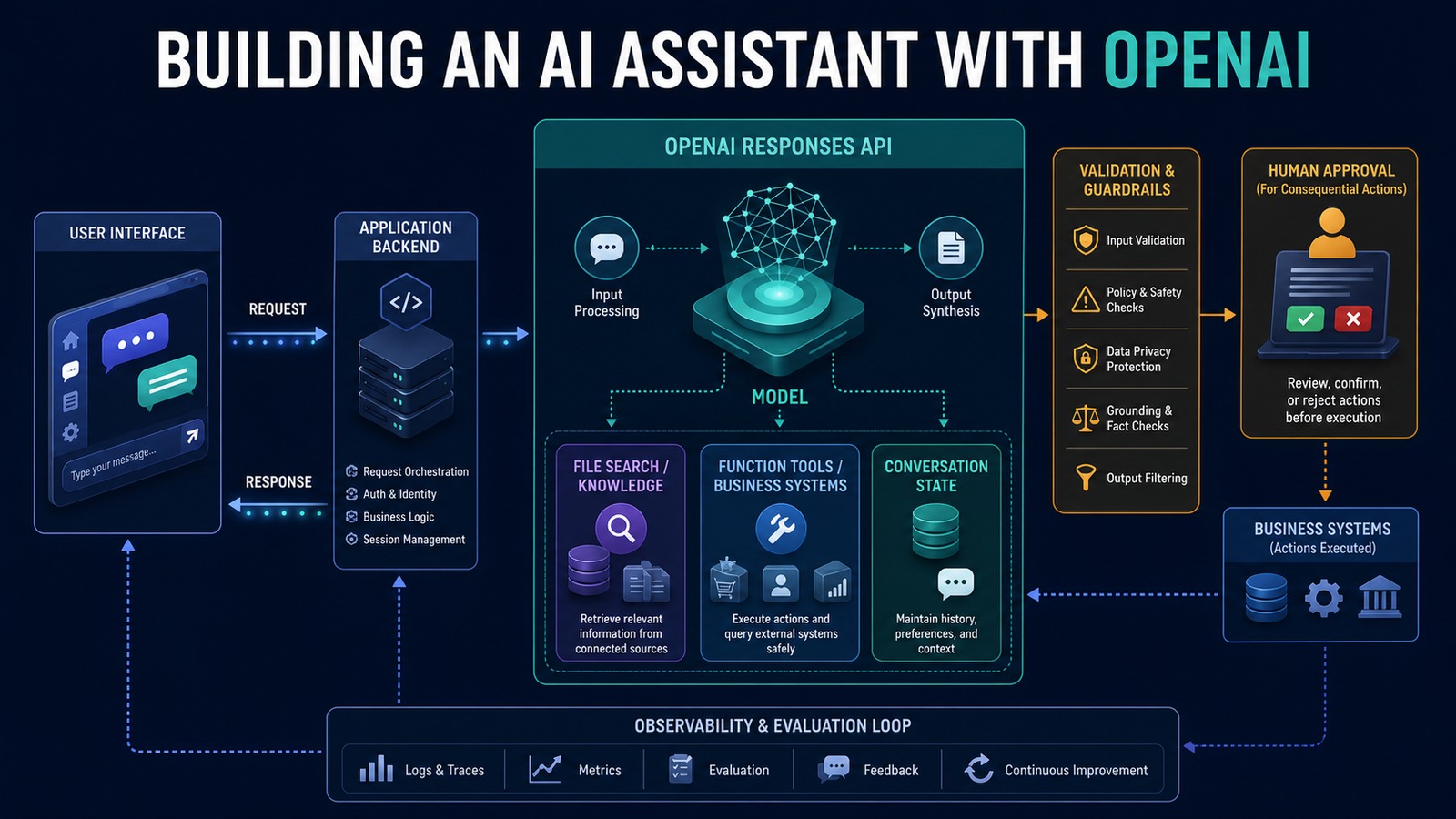
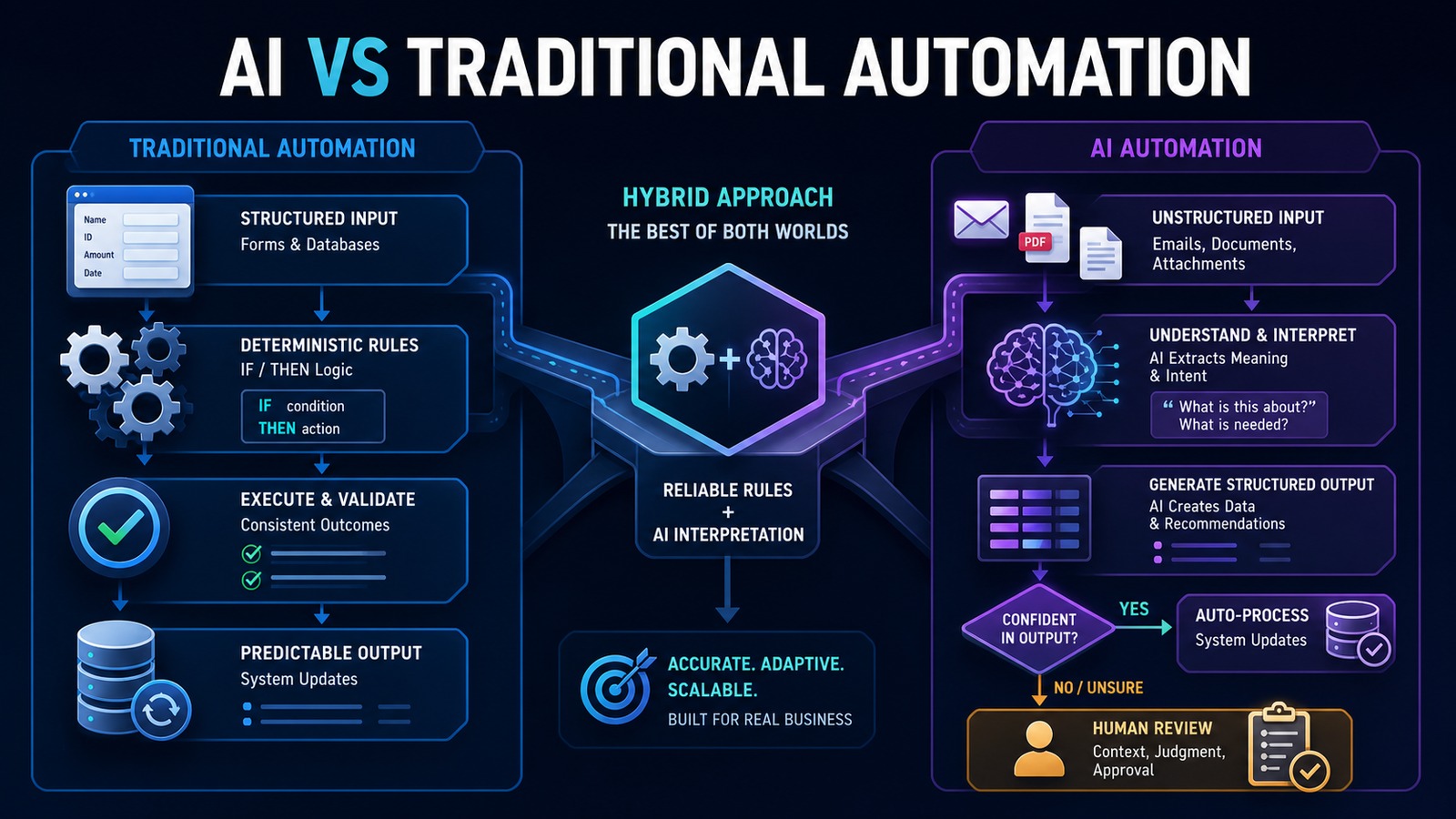
Use n8n as an orchestration layer. Capture the document securely, preserve the original, extract structured fields with OCR and an LLM, validate those fields with deterministic rules, assign a risk and confidence tier, and route the request to the correct approver. AI produces a summary and recommendation; the authorized person approves, rejects, or requests changes.
Low-confidence extraction, policy conflicts, sensitive content, unusual values, and missing evidence should always enter an exception path. Every transition records who or what acted, the input version, the rules applied, the model configuration where relevant, and the final human decision.
Architecture
Email / Portal / Business system
              ↓
 Secure intake + immutable original
              ↓
      OCR and AI extraction
              ↓
 Schema validation + policy rules
              ↓
 Risk tier + field confidence score
        ↙                  ↘
 Low confidence          Normal case
        ↓                  ↓
 Exception review     Approval routing
        ↘                  ↙
 Approve / Reject / Request changes
              ↓
      Approved system of record
              ↓
 Archive + audit trail + monitoring
Example workflow
Consider a vendor contract submitted for approval:
Contract uploaded
     ↓
n8n stores file and calculates document hash
     ↓
AI extracts parties, term, renewal, value,
termination, indemnity, privacy, and governing law
     ↓
Rules compare results with approved policy
     ↓
AI creates cited summary and flags unusual clauses
     ↓
Route to business owner, legal, security, or finance
     ↓
Reviewer approves, rejects, or requests changes
     ↓
Decision and approved version recorded
     ↓
Obligations and renewal dates create follow-up tasks
The reviewer should be able to jump from every extracted claim to the relevant page or passage. If the document changes, the workflow creates a new version and invalidates any approval tied to the earlier content hash.
Technology Stack
- n8n: intake, branching, approvals, reminders, retries, and integrations.
- OCR: text and layout extraction from PDFs and scans.
- OpenAI or another approved LLM: structured extraction, classification, comparison, and summaries.
- Document storage: versioned originals with access controls and retention policy.
- PostgreSQL: workflow state, idempotency, decision metadata, and audit references.
- Business system APIs: procurement, CRM, case management, finance, or records systems.
- Identity and access management: role-based authorization and approver identity.
- Monitoring: failures, latency, exceptions, overrides, and model-quality metrics.
Implementation
1. Select one document and decision
Begin with a repeatable document type, clear policy, known approvers, and measurable delay. Define what the workflow may recommend and what always requires human authorization.
2. Map policy and authority
Document required evidence, thresholds, approver roles, separation of duties, escalation rules, and prohibited automatic actions. Convert objective conditions into deterministic checks.
3. Secure intake and preserve evidence
Authenticate uploads, restrict file types and size, scan files as required, store the original, calculate a hash, and issue a unique request ID. Avoid sending sensitive documents to unapproved services.
4. Define a structured schema
Specify exact fields, types, allowed values, citations, and confidence requirements. Validate model output before using it. Missing or malformed fields should fail closed into review.
5. Separate AI judgment from policy rules
Use AI for language-heavy work such as identifying clauses or summarizing changes. Use code and rules for thresholds, required approvals, permissions, dates, and record state.
6. Require evidence and confidence
Attach page-level citations to extracted claims and set field-specific confidence thresholds. A confident overall score must not hide one uncertain critical field.
7. Route by risk and context
Route using document type, value, department, jurisdiction, data sensitivity, exceptions, and approval limits. Define fallback owners, deadlines, reminders, and escalation paths.
8. Design the human decision screen
Show the original, version, extracted data, citations, policy checks, exceptions, related records, and recommendation together. Capture comments and a reason for overrides or rejection.
9. Protect version integrity
Bind approval to a document hash or immutable version ID. Any content change should create a new version and, when material, trigger re-review.
10. Build retries and exception handling
Retry transient OCR, API, and network failures with capped backoff. Do not retry policy failures as technical errors. Maintain a manual queue with enough context to resolve each exception.
11. Test adversarial and realistic cases
Test poor scans, missing pages, conflicting clauses, handwritten edits, tables, prompt-injection text inside documents, duplicate submissions, unauthorized approvers, and system outages.
12. Monitor quality and outcomes
Track cycle time, extraction accuracy, low-confidence rate, policy exceptions, human overrides, approval aging, rework, failures, and downstream corrections. Review samples regularly as documents and policies change.
Benefits
- Time savings: reviewers receive prepared decision packages instead of searching through documents.
- Money savings: less administrative effort and fewer delays or missed obligations.
- Error reduction: consistent extraction, policy checks, version control, and routing.
- Customer experience: faster decisions and clearer requests for missing information.
- Governance: authority remains explicit, traceable, and reviewable.
- Scalability: routine preparation grows without removing expert oversight.
Industry insight: automate preparation, not accountability
The safest and most useful pattern is simple: AI reads, extracts, compares, and recommends; policy constrains; humans authorize; the system records. Organizations should expand automation only after evidence shows the workflow is accurate, secure, understandable, and easier to govern than the manual process it replaces.
Read also
- The Complete Guide to AI Automation for Small Businesses
- Invoice Automation Workflow
- CRM Automation Best Practices
- Automating Email with n8n
Need help implementing this? Contact Jupabequi for a free consultation.